VirtualHere Loader (No VPN & No RDP) 3 months ✅
🔧 VIRTUALHERE RENTAL BOX – ADMIN & CLIENT GUIDE❕
🟦 ADMIN SETUP
1️⃣ Install BROTHER VIRTUALHERE Server
▶️ Run the file and complete the installation.
2️⃣ Activate Your License
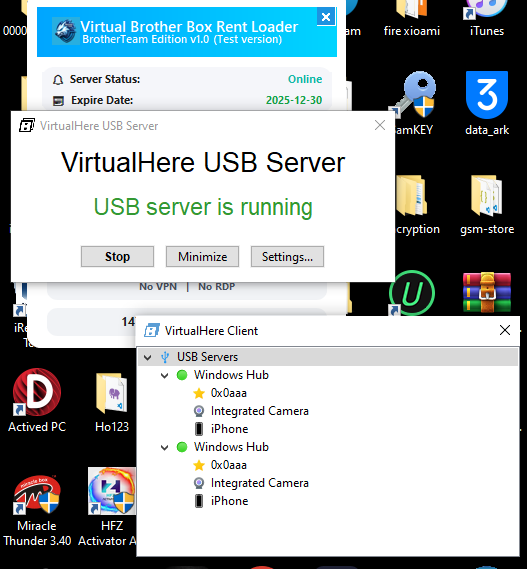
🗝 Open VirtualHere USB Server
➡️ Right-click → License → Enter Activation Key
📌 Paste your activation token
🔄 Restart the server if required
3️⃣ Connect Your Rental Boxes
🔌 Plug your rental boxes into the admin PC
🟢 Confirm they appear inside the USB Server device list
🟦CLIENT SETUP
1️⃣ Install VirtualHere USB Client
📥 Client download:
CLICK HERE (https://www.virtualhere.com/sites/default/files/usbclient/vhui64.exe)
▶️ Just run it (no installation needed)
2️⃣ Auto-Discover the Server
🖥 Right-click the VirtualHere icon
➡️ Select Auto-Find / Auto-Discovery
🔍 Wait for the server to appear
📦 The client will see the available rental boxes
3️⃣ Connect to a Rental Box
📦 Right-click the desired rental box
➡️ Use this device
⏳ Wait until it becomes active on the client’s PC
🗒NOTES
⚠️ Only one client can use a box at a time
⚠️ The admin must keep the server running
⚠️ If the connection drops, reconnect the device again